
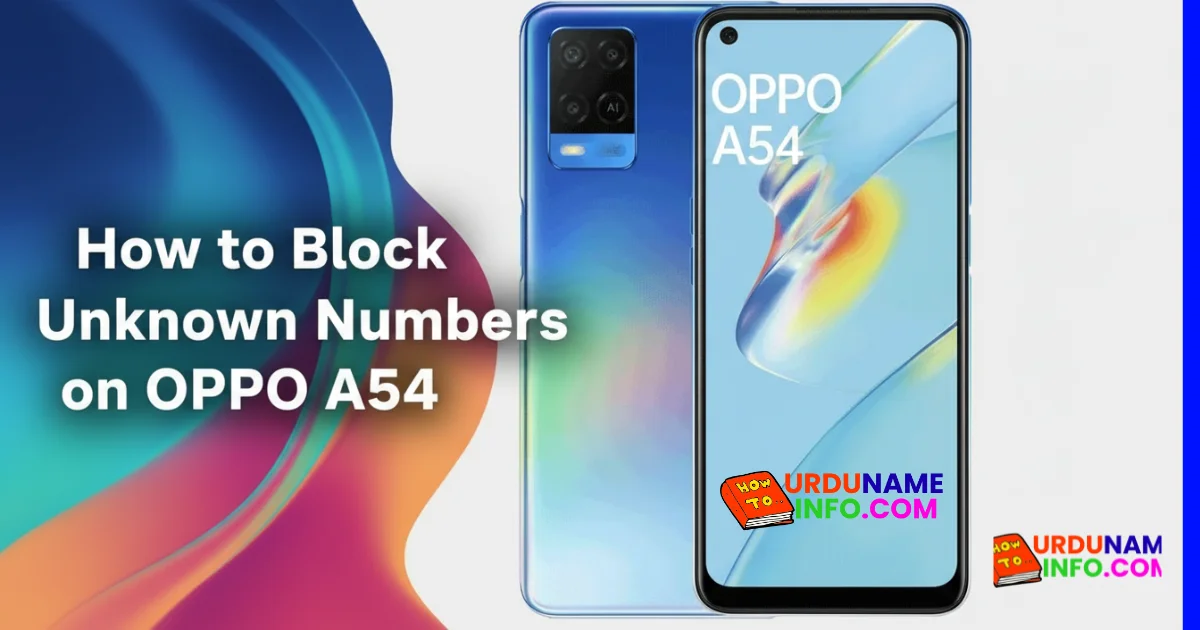
For unknown people or those numbers that you don’t like or those scammers who are harassing you by calling you repeatedly, the only solution is to put them directly in the block list. In this article, we will learn in full detail how you can put any number in the block list on your Oppo A54 mobile phone and how you can unblock it again. I will give you all this step by step in detail in this article. Must read till the end.
To block any number, I have given you two methods below. By following any one of them, you can block any number. If one method does not work, use the second
Block Unknown Numbers Using Phone Settings
To block the numbers of known people or people you don’t like, Oppo A54 has given a built-in option inside its mobile phone, through which you can block any person from your mobile phone. We have told you step by step how to block you, follow the step by step.
Steps:
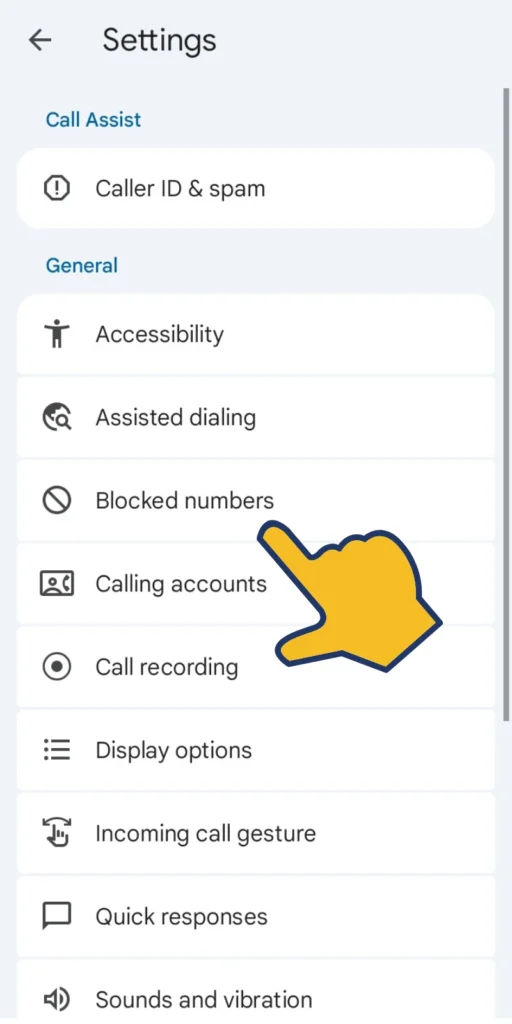
Open the Phone (Dialer) app.
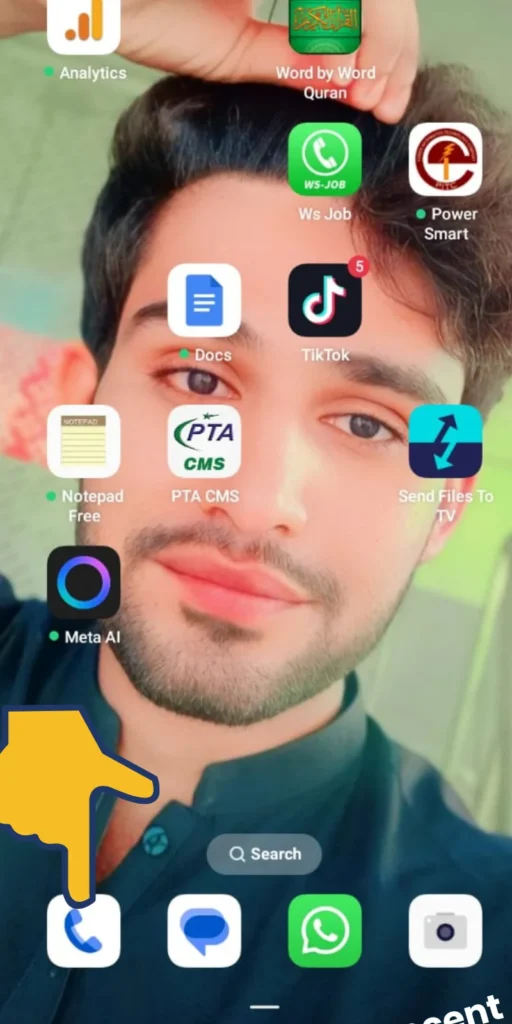
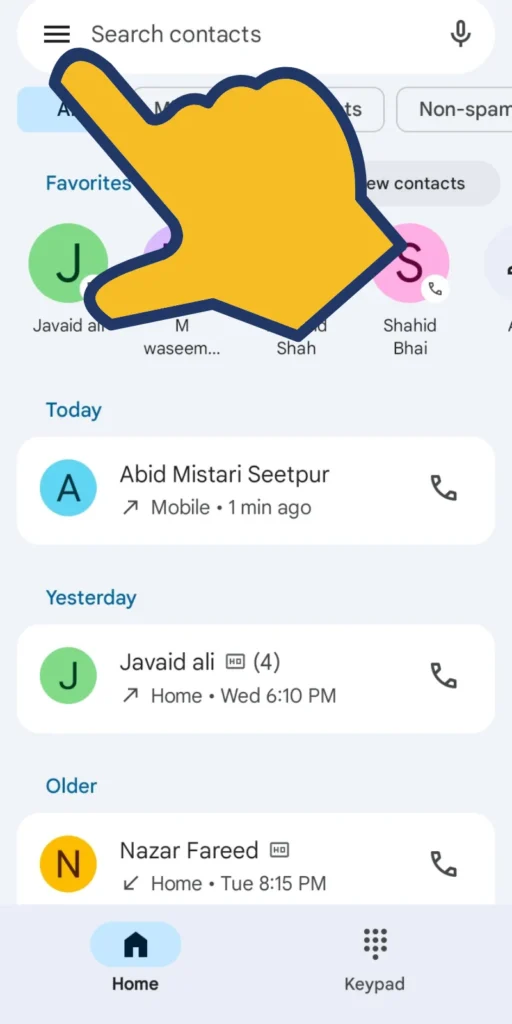
Tap the three dots (⋮) in the top-right corner.
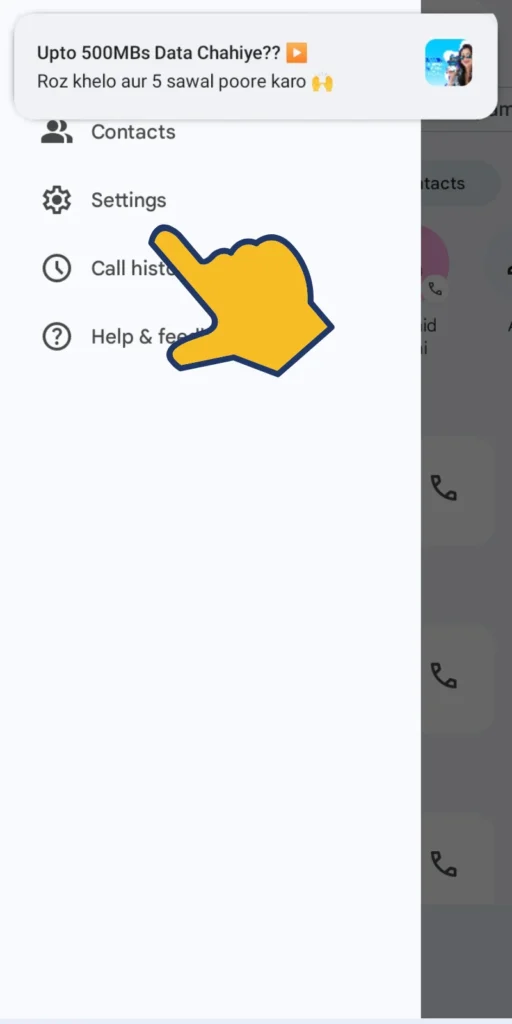
Select Settings.
Tap Block & Filter or Blocked Numbers.
Enable the option:
- Block Unknown Numbers
- Block Private/Hidden Numbers
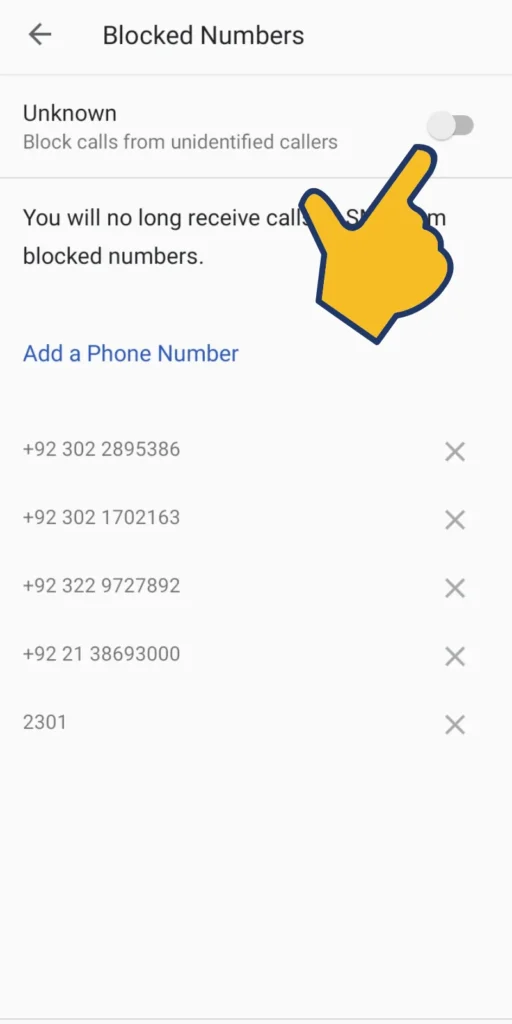
By following all the steps above, you can now add any number to the block list.
Block a Specific Number Manually
If someone repeatedly disturbs you, you can block that specific number directly from recent calls.
Steps:
Open the Phone app.
Go to the Recent Calls list.
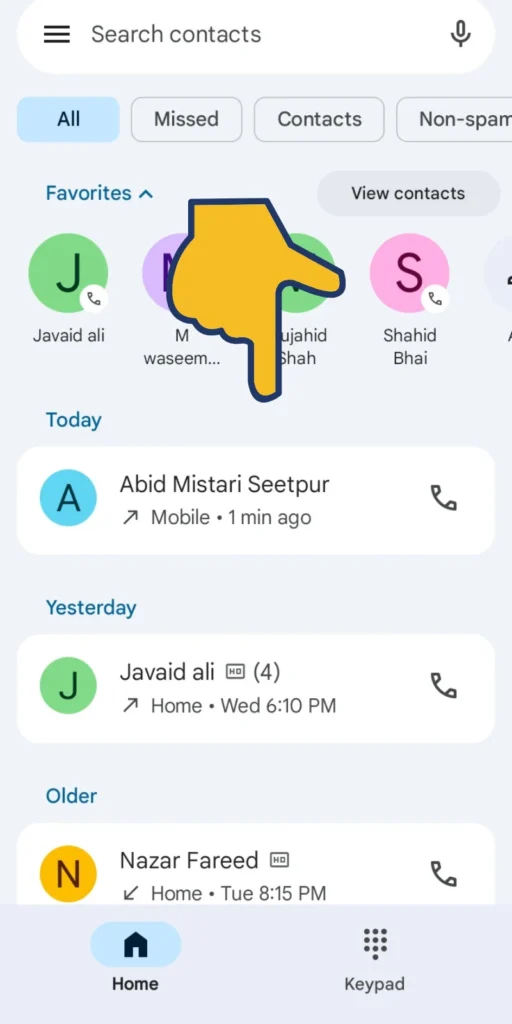
Tap and hold the number you want to block.
Select Block / Mark as Spam.
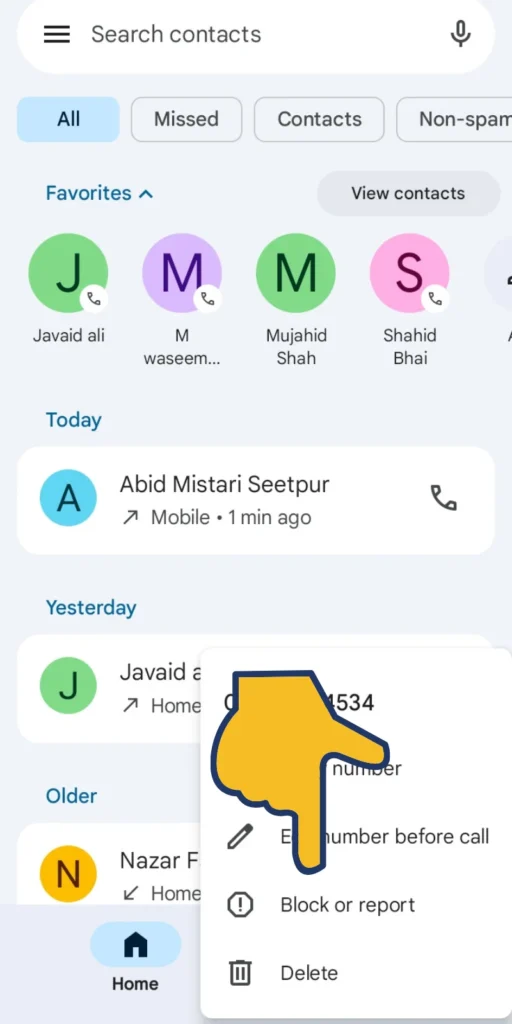
Confirm by tapping Block.
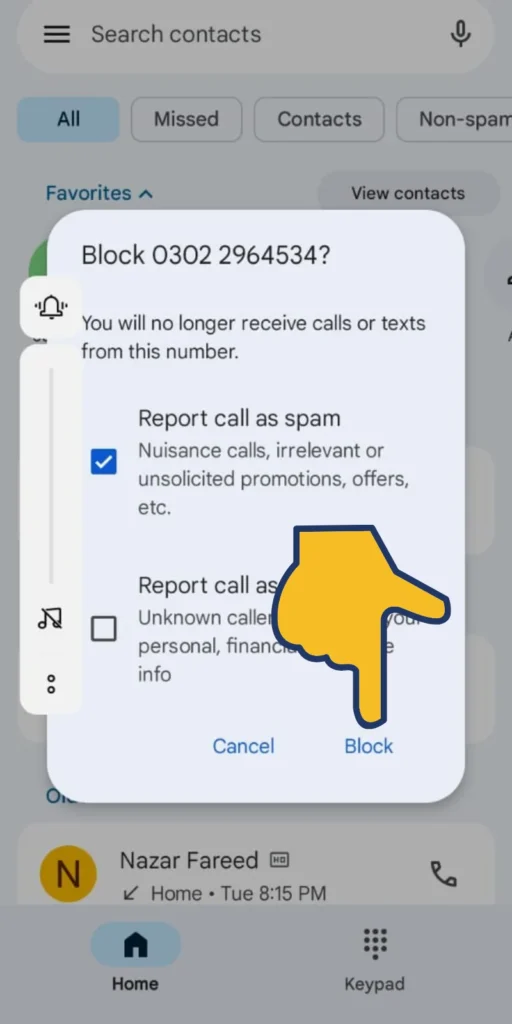
The number will no longer be able to call or message you.
Block Unknown Numbers Using Security Features
ColorOS includes a smart filter that automatically detects spam and promotional calls.
Steps:
- Open Settings.
- Scroll down and tap Security.
- Tap Anti-Harassment or Block & Filter.
- Turn ON:
- Block strangers
- Block all unknown callers
This enhances caller protection and helps reduce unwanted calls dramatically.
Read More:
- How to Stop Background Apps on OPPO A54
- How to Enable App Lock on OPPO A54 (Without Third-Party Apps)
- How to Enable Split Screen on OPPO A54
How to Unblock a Number (If Needed)
If you accidentally blocked someone, you can unblock them easily.
Steps:
- Open Phone app.
- Tap Settings → Blocked Numbers.
- Find the number you want to unblock.
- Tap Remove / Unblock.
Conclusion
In this article, I have told you in full detail how you can block unknown numbers on your Oppo H4 mobile. I have mentioned three methods above and also told you how you can unblock them. I hope you liked this article. If you liked it, then please give your opinion in the comments.

My name is Mujahid Shah. I provide helpful information about mobile phones, laptops, and general technology topics. I write simple and easy guides to help people solve common problems and understand tech in a better way.